
To export all your data from 27 Crags, follow the steps below:
Log in
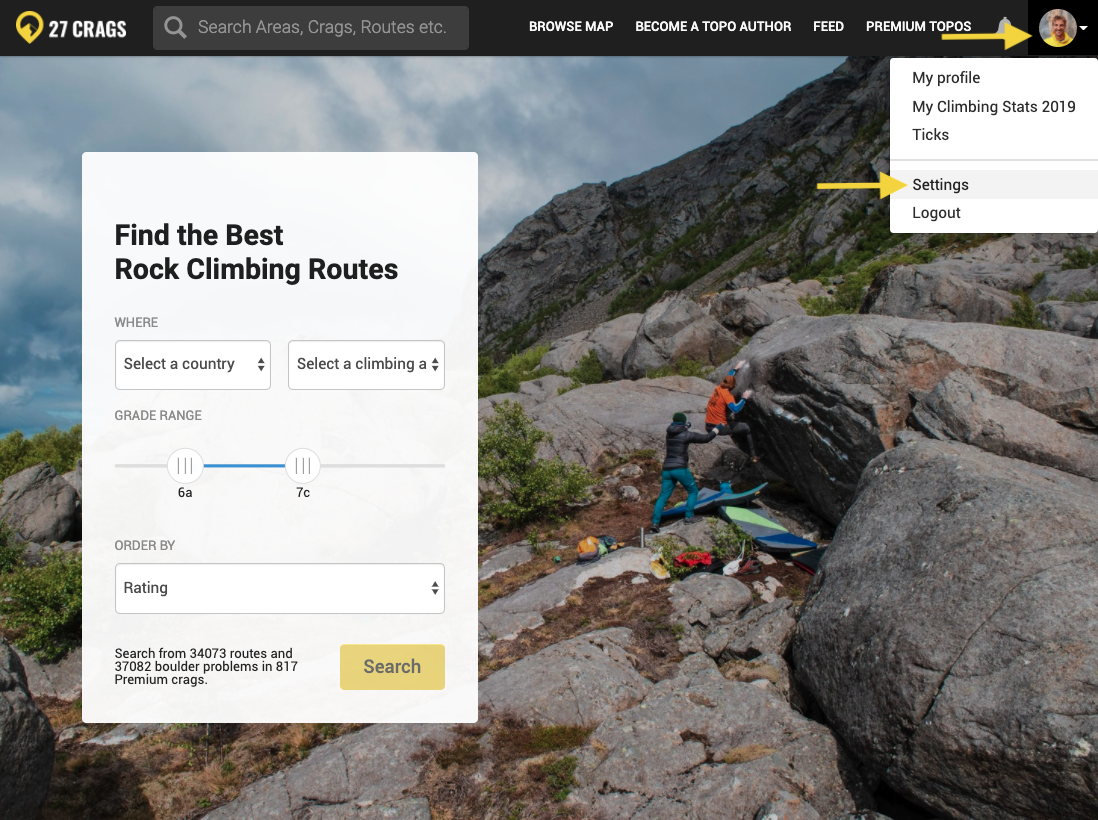
Click the arrow in the top right
Choose "settings"
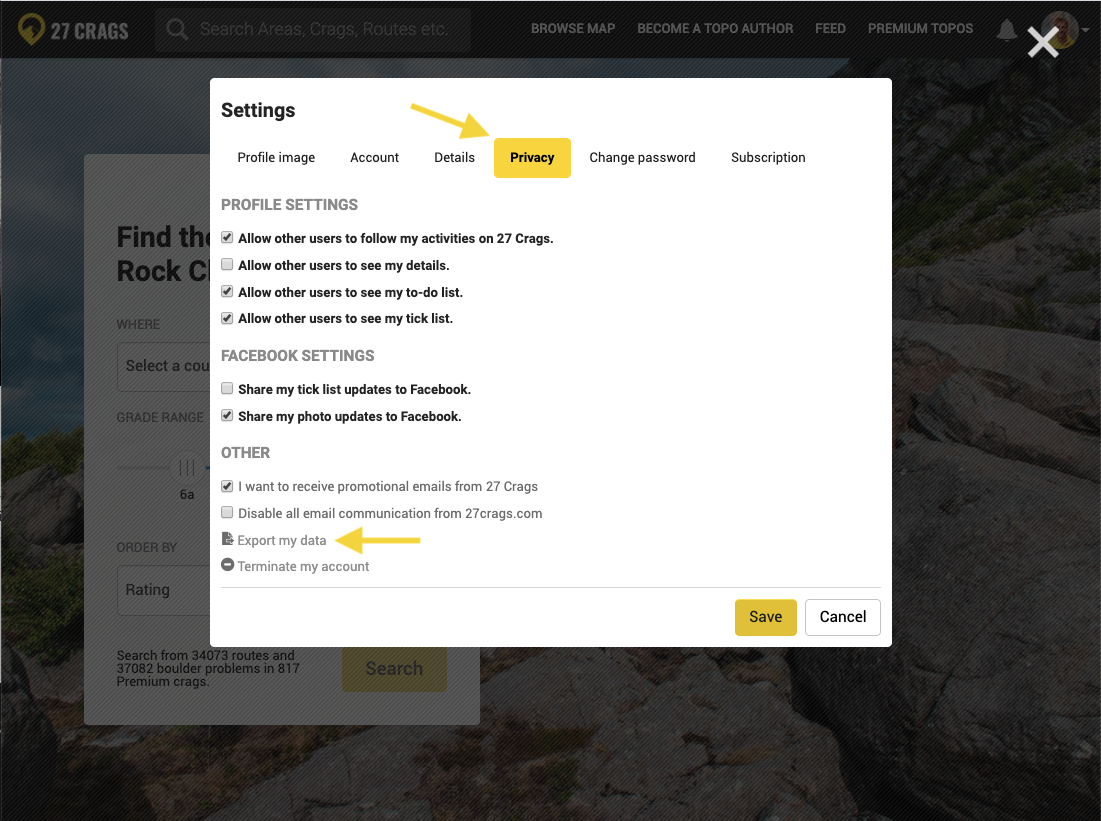
Choose "privacy"
Click "export my data"
You will then be able to export all your data in .json format.
For additional help, see the screenshots below.
Note: It is currently not possible to export your tick list separately.