
If the topo is maintained by you or your team
1. Go to the topo that you want to edit within your team
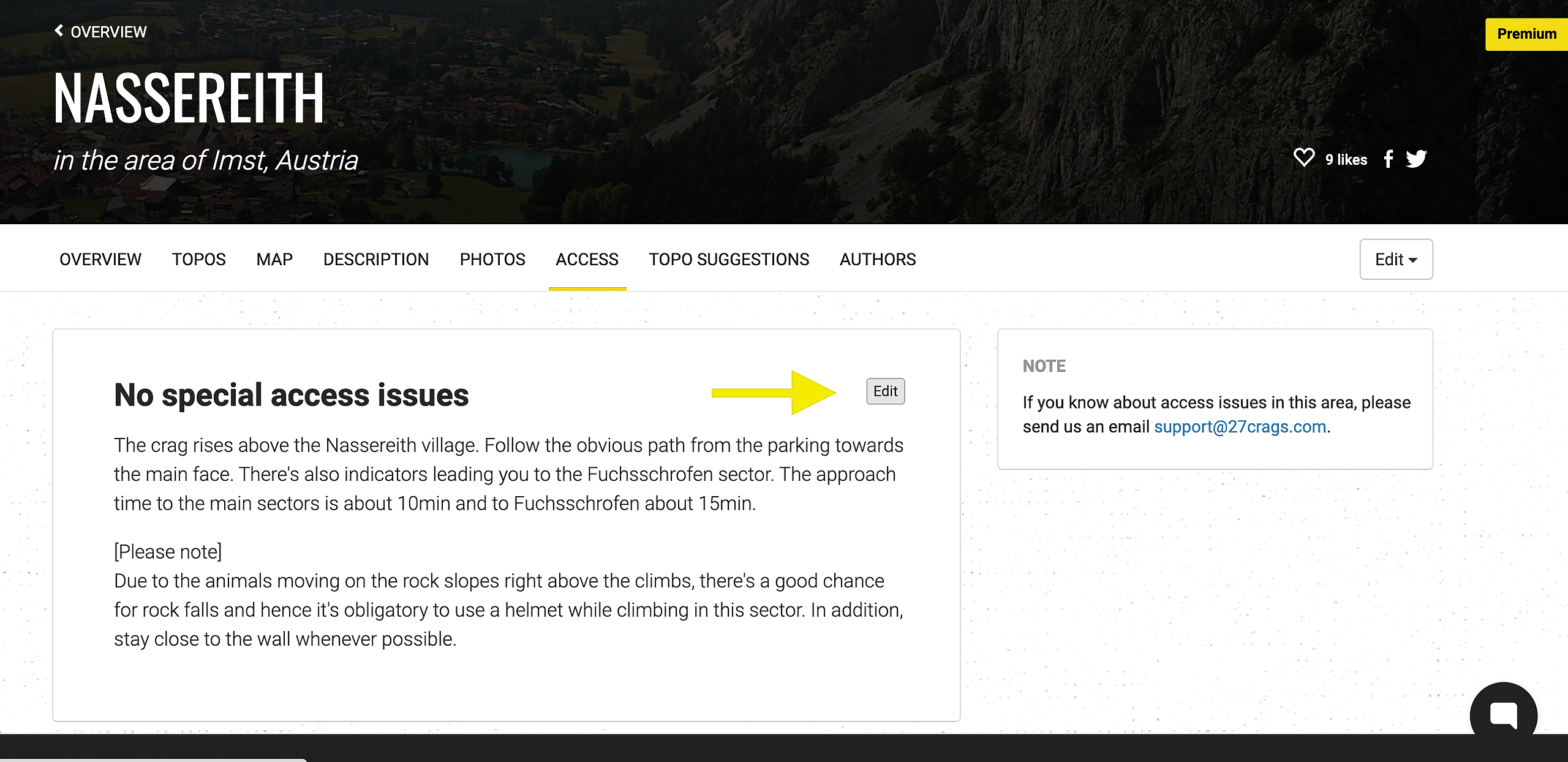
2. Go to "Access" and click the small pencil on the right side of the white box.
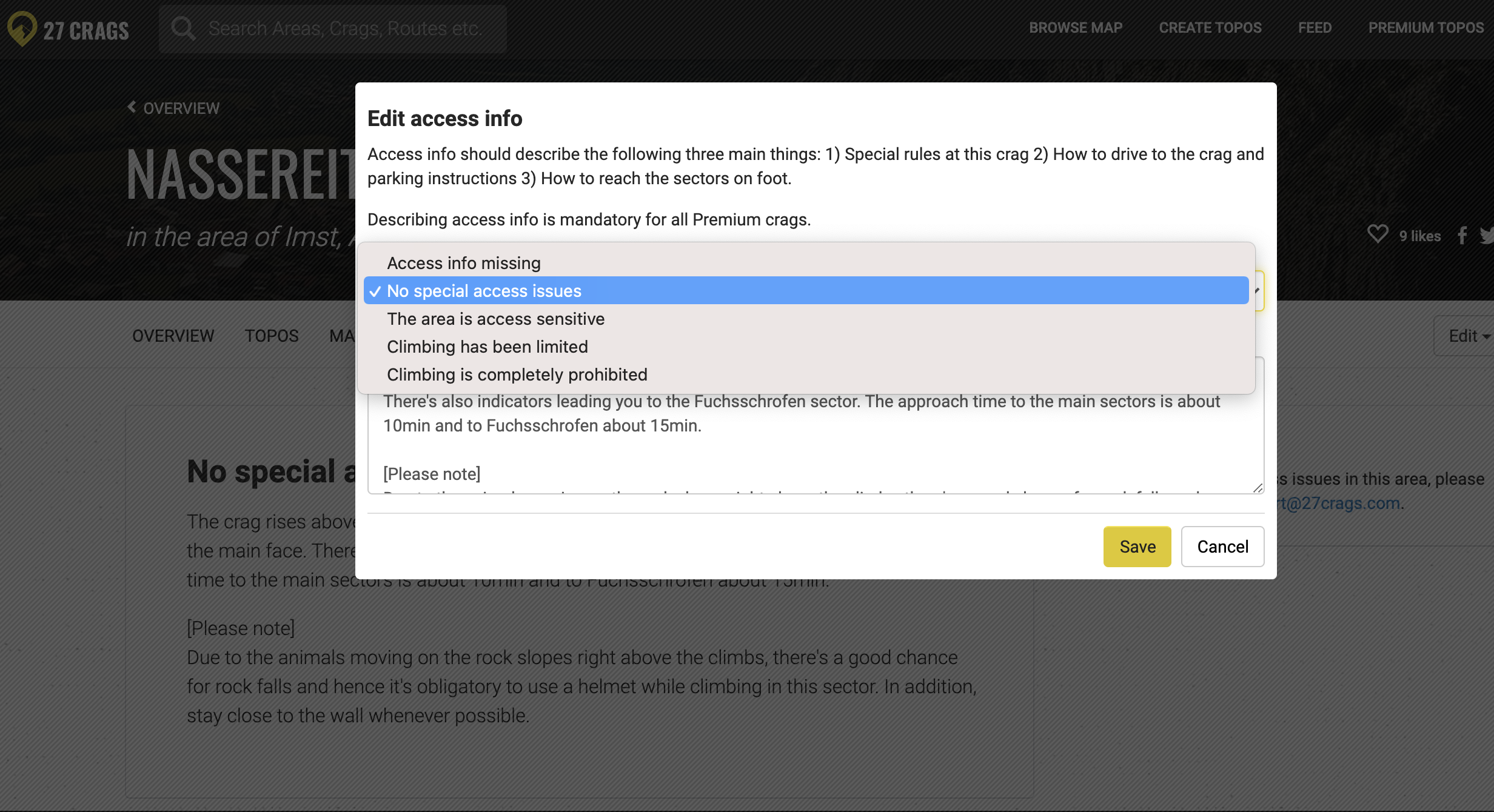
3. Choose the access level of the crag, write a description and press save.
Note: If "Climbing is completely prohibited" is selected, the topo will get hidden from everyone but the information will not be deleted. This way the topo can be recovered if climbing is permitted again in the future! Also even if the ban is permanent, it's good to leave the topo in 27 Crags, so people can find it and see that it's forbidden to climb there.
If you are not a part of the maintenance team
Access information can only be edited by the team members of a maintained topo. If you have not claimed maintainership of the topo yet, check out this guide to learn how to do so.
Alternatively you can also contact 27 Crags with a link of the crag and the access information.