
The cover picture is the one that shows as the background of your topo.
Here are instructions on how to change it:
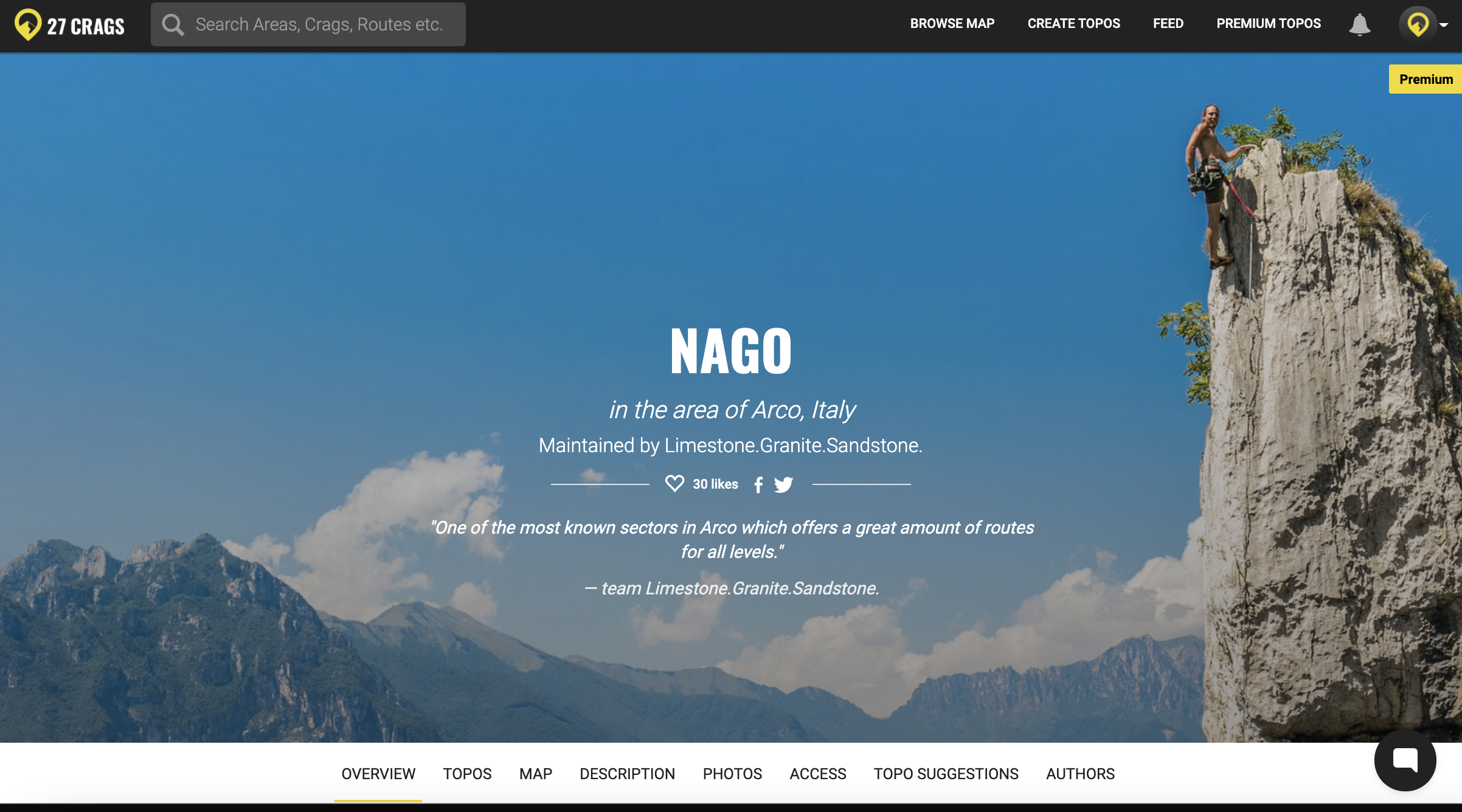
1. Click "Topos" on the navigation bar with a white background.
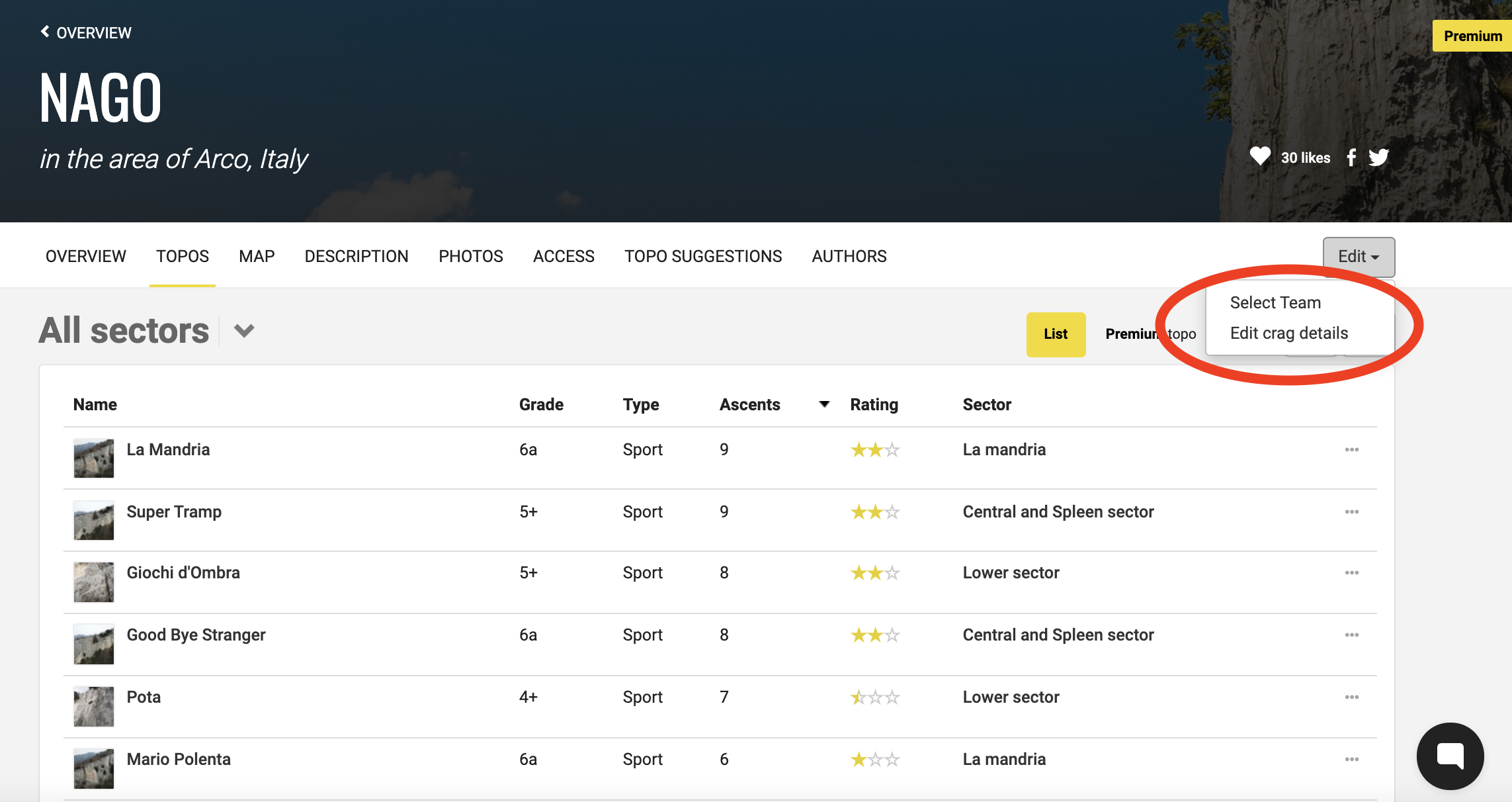
2. Click "Edit" on the right, and then choose "Edit crag details".
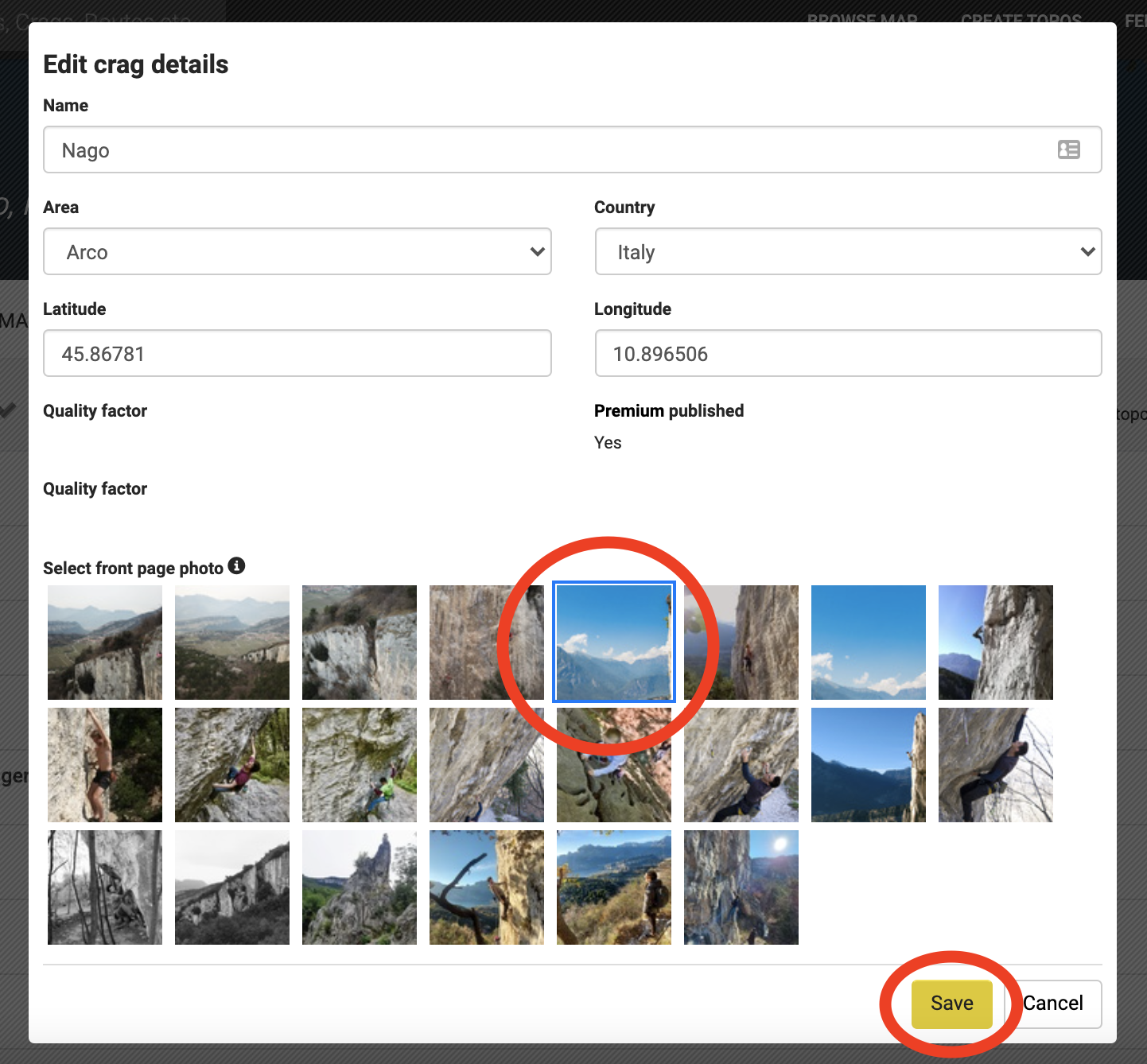
3. Select the preferred picture and click save at the bottom.
Now the cover picture is changed!