

If you would like to change the order in which topo images are displayed, here is how to do it:
Make sure the crag is maintained by you or a team that you are a member of
Navigate to the sector you want to work on
Click "edit" next to the picture you want to reorder
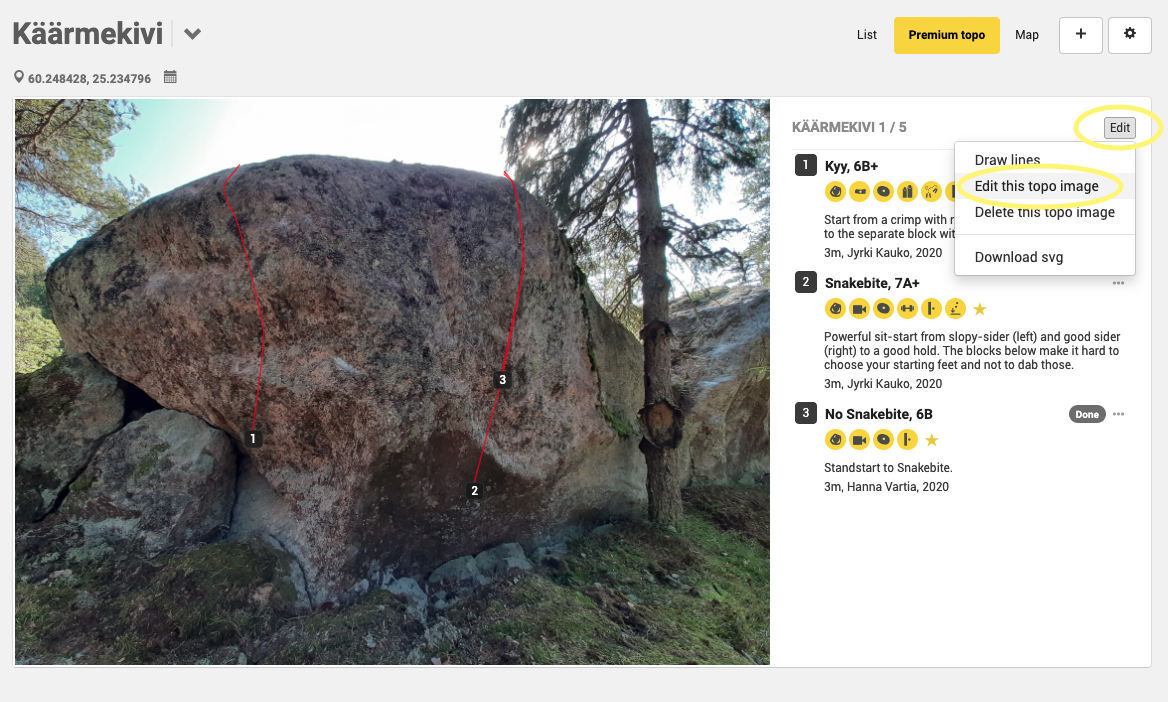
4. Click "edit this topo image"
5. Insert the position you want the picture to display at and click "Save"
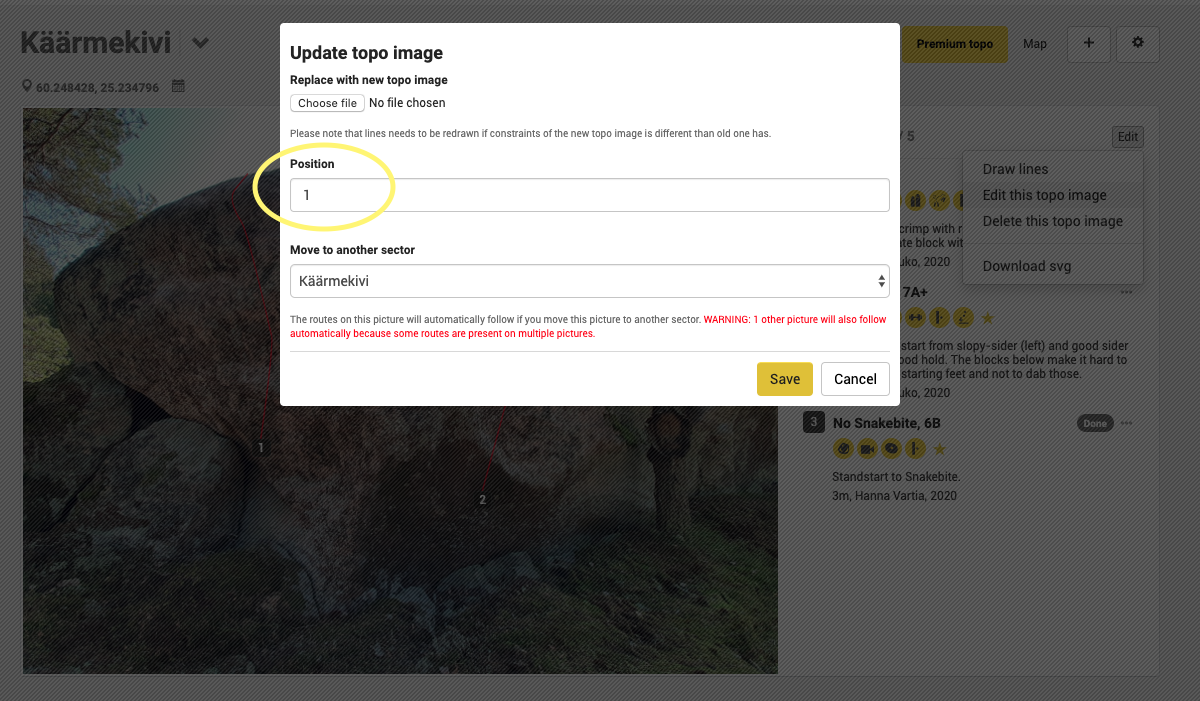
6. Repeat, if you wish to re-order more images, repeat these steps for every photo in the sector.
[We've noticed some technical issues with the re-ordering of the images. We're trying to fix this ASAP, but one way to solve it is to re-order the Premium topo images only after the topo has been published.]